Page Yields Explained: How to Read and Use Printer Cartridge Ratings
- By Sarah Mitchell
- Published
- 5 min read
Every cartridge box shouts a number: 300 pages, 1,000 pages, 3,000 pages. That figure is a page yield, and it's the foundation of every cost-per-page calculation you'll ever make. But it's also one of the most misunderstood specs in printing, because the test conditions behind it rarely match how you actually print.
This guide breaks down how yields are measured, why your real-world mileage can be half the box number, and how to turn yield ratings into a reliable budget figure instead of a marketing promise.
Key points
- Page yield is a lab estimate at 5% coverage; most real documents use more ink, so expect 50–70% of the rated number.
- High-yield cartridges almost always lower cost per page, even though they cost more upfront.
- Check for ISO/IEC standards on the box and beware of starter cartridges with reduced fill.
- Use high-yield cost per page × your annual volume to compare printers on total operating cost.
What a Page Yield Actually Measures
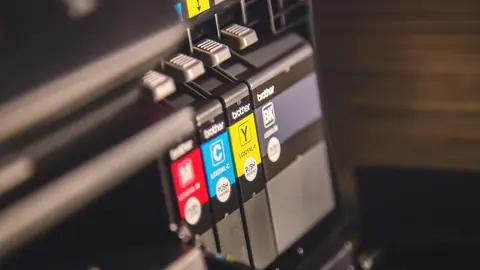
Page yield is the number of pages a cartridge can print under a standardized test protocol. For inkjet cartridges, the common standard is ISO/IEC 24711, which uses a set of five test pages at 5% coverage per color, printed continuously at room temperature. Toner cartridges follow ISO/IEC 19752 for monochrome and 19798 for color, using similar coverage assumptions. The result is a controlled, repeatable number that lets you compare cartridges from different manufacturers on equal footing.
Crucially, yield is not a guarantee. It's an estimate based on a specific document mix, a specific environment, and a specific print mode. The standard assumes you print until the cartridge stops, not until you notice faded output. It also assumes you never turn the printer off between pages, which matters because many inkjets run a short cleaning cycle at startup that consumes ink.
The number on the box is usually the highest yield the manufacturer can justify under the standard. Some vendors also publish a lower 'estimated' yield for photo printing or for their high-yield cartridges, but the headline figure is almost always the ISO number. Treat it as a ceiling, not an average.
- ISO/IEC 24711: inkjet color, 5% coverage per color, five-page suite
- ISO/IEC 19752: monochrome toner, 5% page coverage
- ISO/IEC 19798: color toner, 5% coverage per color
- Yields are measured to cartridge empty, not to first fade
Why Your Real Yield Is Usually Lower
The 5% coverage assumption is the biggest gap between lab and office. A typical business letter with a logo, a few bold headings, and a signature block often runs 8–12% coverage. A full-page spreadsheet with shaded cells can hit 20–30%. Since ink consumption scales roughly with coverage, doubling the coverage can cut your yield nearly in half. If you print mostly text at 10% coverage, expect about half the rated yield from an inkjet cartridge.
Print mode matters just as much. Draft mode may use 30–50% less ink than standard mode, while best-quality photo mode can use several times more. Automatic duplexing saves paper but not ink. And every time you turn on an inkjet printer, it may run a cleaning cycle that consumes a small amount of ink from each cartridge, even if you print nothing. Printers that sit idle for weeks can lose a noticeable share of their ink to maintenance.
Toner behaves differently. Laser printers don't clog, so idle time costs almost nothing. But toner yield still drops with heavy coverage, and the first toner cartridge shipped with a new printer is often a 'starter' cartridge with a much lower yield than the replacement you'll buy later. Always check whether the included cartridge is full or starter.
- 5% coverage is a light document; most office pages run 8–15%
- Draft mode can stretch ink by 30–50%; photo mode can double consumption
- Idle inkjets consume ink for maintenance cycles
- Starter cartridges may hold 30–50% of a full cartridge's ink
| Printer class | Standard yield (pages) | High-yield (pages) | Typical cost per page | Best for |
|---|---|---|---|---|
| Home inkjet | 180–300 | 400–600 | 8–15 cents | Low-volume mixed printing |
| Business inkjet | 500–1,000 | 1,000–2,000 | 4–7 cents | Small office color documents |
| Color laser | 1,000–1,500 | 3,000–6,000 | 3–6 cents | Higher-volume color reports |
| Mono laser | 3,000 | 8,000–12,000 | 1–3 cents | High-volume text printing |
| Photo inkjet | 100–300 | 300–500 | 30–80 cents | Occasional photo and art prints |
How to Turn Yield Into Cost Per Page
Cost per page is simply cartridge price divided by page yield. A $30 ink cartridge rated at 300 pages costs 10 cents per page. A $90 high-yield version rated at 1,000 pages costs 9 cents per page. That's why high-yield cartridges almost always win on economics, even though the upfront price is higher. The same math works for toner: a $120 toner rated at 3,000 pages is 4 cents per page, while a $70 toner rated at 1,200 pages is 5.8 cents.
For a more realistic figure, divide by a yield you expect to achieve, not the box number. If you print at 10% coverage, use roughly 60–70% of the rated yield as a working estimate. If you print photos, use 30–50%. Then add paper cost (about 1–3 cents per sheet for plain paper) and any maintenance kit costs. That gives you a true operating cost you can compare across printers.
Our guide to real printing costs walks through this calculation with current cartridge prices and typical office coverage. If you're choosing between inkjet and laser for a small business, the inkjet vs laser comparison shows how yield differences play out over a year of printing.
Yield Ratings Across Printer Classes
Page yields vary enormously by printer type. A compact home inkjet might ship with cartridges rated at 180–300 pages. A business inkjet with high-yield cartridges can reach 1,000–2,000 pages per cartridge. Color laser printers typically start around 1,000–1,500 pages for standard toner and go up to 3,000–6,000 pages for high-yield. Monochrome lasers often reach 3,000 pages standard and 8,000–12,000 pages high-yield.
The pattern is consistent: the higher the printer's purchase price, the higher the available yields and the lower the cost per page. That's the classic razor-and-blades model. A $60 inkjet may have a 10-cent-per-page ink cost, while a $300 business inkjet might run 4–6 cents per page. Over 5,000 pages, the cheaper printer can cost hundreds more to operate.
Wide-format and photo printers sit at the other end. Their cartridges are small and expensive, and coverage is often high, so cost per page can run 30 cents to over $1 for large prints. For a deeper look at large-format economics, see our guide for architects and the A1 plotter comparison.
- Home inkjet: 180–300 pages standard, 400–600 high-yield
- Business inkjet: 1,000–2,000 pages high-yield
- Color laser: 1,000–1,500 standard, 3,000–6,000 high-yield
- Mono laser: 3,000 standard, 8,000–12,000 high-yield
Reading the Fine Print: Standards and Caveats
Not every manufacturer uses the same standard, and some don't disclose their method at all. Look for a mention of ISO/IEC 24711 or 19752 on the box or spec sheet. If it's absent, the yield figure may be based on an internal test with different coverage, paper, or print mode, which makes cross-brand comparisons unreliable. Third-party cartridges often quote yields without any standard at all.
Also watch for 'up to' language and conditional footnotes. A yield may be stated for standard mode only, or for a specific paper type. Some inkjet vendors report yields for individual color cartridges separately, so the total cost per color page is higher than the black-only figure. And cartridges that are 'compatible' or remanufactured may have different fill volumes than the OEM spec.
Finally, remember that yield is measured to the point where the cartridge stops printing, not where you'd replace it for quality. Many users replace cartridges early because of streaks or faded photos, which lowers effective yield. If print quality matters, budget for replacing at 80–90% of rated yield.
Using Yield Data to Choose a Printer
Start with your monthly print volume and typical document type. If you print 200 pages a month of text and spreadsheets, you need a printer with high-yield cartridges and a low cost per page. If you print 20 pages a month, yield matters less than the risk of ink drying out between jobs. In that case, a laser printer or an inkjet with user-replaceable print heads may be more economical.
Compare printers by their high-yield cost per page, not their standard cartridge cost. Multiply by your annual page volume to get a yearly ink or toner budget. Add the printer purchase price and divide by three years to get a rough total cost of ownership. That figure will steer you away from bargains that are expensive to feed.
For remote teams, yield planning also affects procurement. Our mobile printing checklist covers how to standardize supplies across locations. And if you print artwork or photography, the giclée printer guide explains why photo printers have different yield and cost profiles.
Editor
Sarah has spent over a decade testing and reviewing printers for homes and small businesses. She focuses on practical buying advice, cost analysis, and helping readers avoid common printing pitfalls. Her experience spans inkjet, laser, and specialty printers.