Large Format Printer Buying Guide for Architects
By Sarah Mitchell · Published · 3 min read
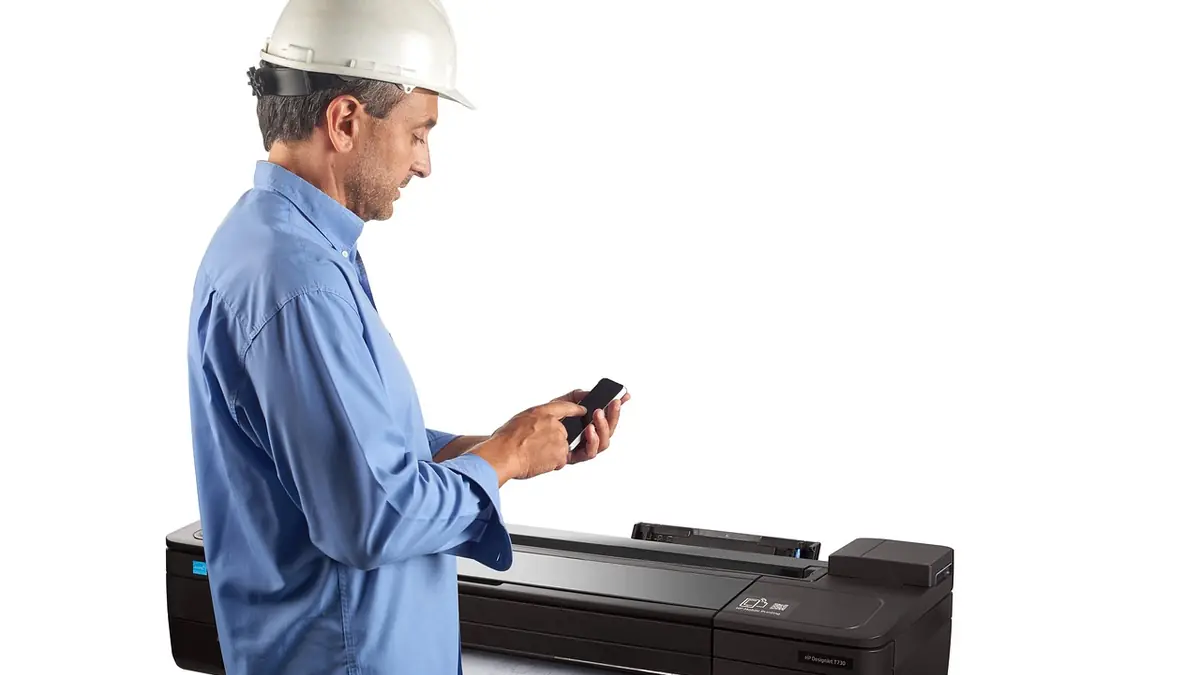
Architects rely on large format printers to produce accurate, legible drawings, renderings, and presentation boards. But not every plotter is up to the task. The wrong choice can mean fuzzy linework, constant paper jams, or costly reprints that eat into project time.
This guide breaks down the key features to evaluate: roll width, print resolution, media handling, ink type, and connectivity. We'll give you concrete numbers and typical ranges so you can match a printer to your firm's output volume and drawing types.
Roll Width and Print Size
The most fundamental spec is maximum roll width. Most architectural offices standardize on 24-inch (A1) or 36-inch (A0) rolls. A 24-inch printer handles A1 sheets and is common in smaller studios, while 36-inch models accommodate full A0 plots and are typical in larger firms. If you frequently output beyond A0, consider a 44-inch model, but expect higher costs and a larger footprint.
Beyond the maximum width, consider the minimum sheet size and whether the printer supports cut-sheet media. Many architects print a mix of full-size plots and smaller check sets on A3 or Letter. A printer with a straight paper path and a manual feed slot for heavier stock will save time when you need to print on board or presentation paper.
- 24-inch: A1 sheets, compact footprint, lower cost
- 36-inch: A0 plots, standard for most firms
- 44-inch: oversized drawings, presentations, higher cost
Resolution and Line Quality
Architectural drawings are line-heavy, so resolution matters less for photographic realism and more for crisp text and fine lines. A print resolution of 2400 x 1200 dpi is common and sufficient for most CAD plots. Higher resolutions (e.g., 2400 x 2400 dpi) can help with small text and intricate details, but the difference is often marginal on standard bond paper.
What often matters more is the printer's minimum line width and dot size. Printers with smaller droplet sizes (e.g., 4 picoliters) produce sharper lines and better grayscale transitions. For renderings, a wider color gamut and support for ICC profiles are important. Look for models with at least 6 colors (including light cyan and light magenta) if presentation-quality output is a priority.
Media Handling and Versatility
Architects print on a variety of media: bond paper for check sets, tracing paper for sketches, matte photo paper for renderings, and even adhesive-backed vinyl for site signs. A good large format printer should handle a range of thicknesses, typically from 60 gsm to 300 gsm or more. Automatic roll switching (dual roll) is a big productivity booster if you frequently switch between plain paper and presentation media.
Consider the printer's roll loading mechanism. Front-loading rolls are easier to change and save space, while some models require rear loading. Also check the maximum roll diameter (typically 2 or 3 inches core) and whether the printer has a built-in cutter. A cutter is essential for producing clean sheets without manual trimming.
- Media thickness: 60–300 gsm typical
- Dual roll: switch between paper types quickly
- Built-in cutter: clean edges, less manual work
- Front-loading: easier access in tight spaces
Ink Type and Cost per Print
Most large format printers for architects use either dye-based or pigment-based inks. Dye inks produce vibrant colors and are fine for indoor presentations, but they fade faster. Pigment inks are more durable and water-resistant, making them suitable for archival drawings and outdoor signage. Pigment printers cost more upfront but may be worth it for long-term storage.
Ink costs add up quickly. A typical 36-inch printer uses 130–300 ml ink cartridges. Cost per A1 print on bond paper ranges from about $0.50 to $1.50, depending on coverage and ink prices. For a firm printing 500 A1 sheets per month, that's $250–$750 in ink alone. Consider printers with individual ink tanks rather than combined cartridges to replace only the colors you use most.
| Class | Max Roll Width | Resolution (dpi) | Ink Type | Typical Cost per A1 (bond) | Print Speed (A1 line drawing) |
|---|---|---|---|---|---|
| Entry-level | 24 in | 2400 x 1200 | Dye | $0.50–$0.80 | 60–90 sec |
| Mid-range | 36 in | 2400 x 1200 | Pigment | $0.70–$1.20 | 45–60 sec |
| High-end | 44 in | 2400 x 2400 | Pigment | $1.00–$1.50 | 30–45 sec |
| Dual-roll | 36 in | 2400 x 1200 | Pigment | $0.70–$1.20 | 45–60 sec |
Speed and Productivity Features
Print speed for line drawings is typically measured in seconds per A1 plot. Entry-level models may take 60–90 seconds, while faster models can produce an A1 in 30–45 seconds. If your office prints large sets regularly, a faster printer pays for itself in time saved. Look for print speeds quoted for both line drawings and color renderings, as the latter are much slower.
Other productivity features include a built-in hard drive for spooling large files, a touchscreen interface for easy job management, and network connectivity (Ethernet and Wi-Fi). Some printers support mobile printing and cloud services, which can be handy for remote teams. If you need to print from multiple devices, ensure the printer supports the protocols your team uses.
Space, Installation, and Maintenance
Large format printers are bulky. A 36-inch model typically measures around 50–60 inches wide and weighs 150–250 pounds. Ensure you have a sturdy table or stand and enough clearance for the roll and paper path. Some models require additional space for a stacker or take-up reel if you print long rolls.
Maintenance is another factor. Printers with user-replaceable print heads and easy-access maintenance tanks reduce downtime. Check the availability of service agreements and local support. For offices without dedicated IT staff, a model with remote diagnostics and a good warranty is worth the extra cost.
- Footprint: 50–60 inches wide for 36-inch models
- Weight: 150–250 lbs, needs sturdy stand
- User-replaceable print heads reduce downtime
- Remote diagnostics and warranty support
- Choose roll width based on your standard sheet size: 24-inch for A1, 36-inch for A0.
- Resolution of 2400 x 1200 dpi is sufficient for most CAD plots; prioritize small droplet size for sharp lines.
- Pigment inks offer better durability for archival drawings, but dye inks are fine for short-term presentations.
- Check media handling: thickness range, dual roll option, and built-in cutter save time and reduce waste.
Sarah has spent over a decade testing and reviewing printers for homes and small businesses. She focuses on practical buying advice, cost analysis, and helping readers avoid common printing pitfalls. Her experience spans inkjet, laser, and specialty printers.