A1 Plotter Printers: Features and Cost Compared
By Sarah Mitchell · Published · 6 min read
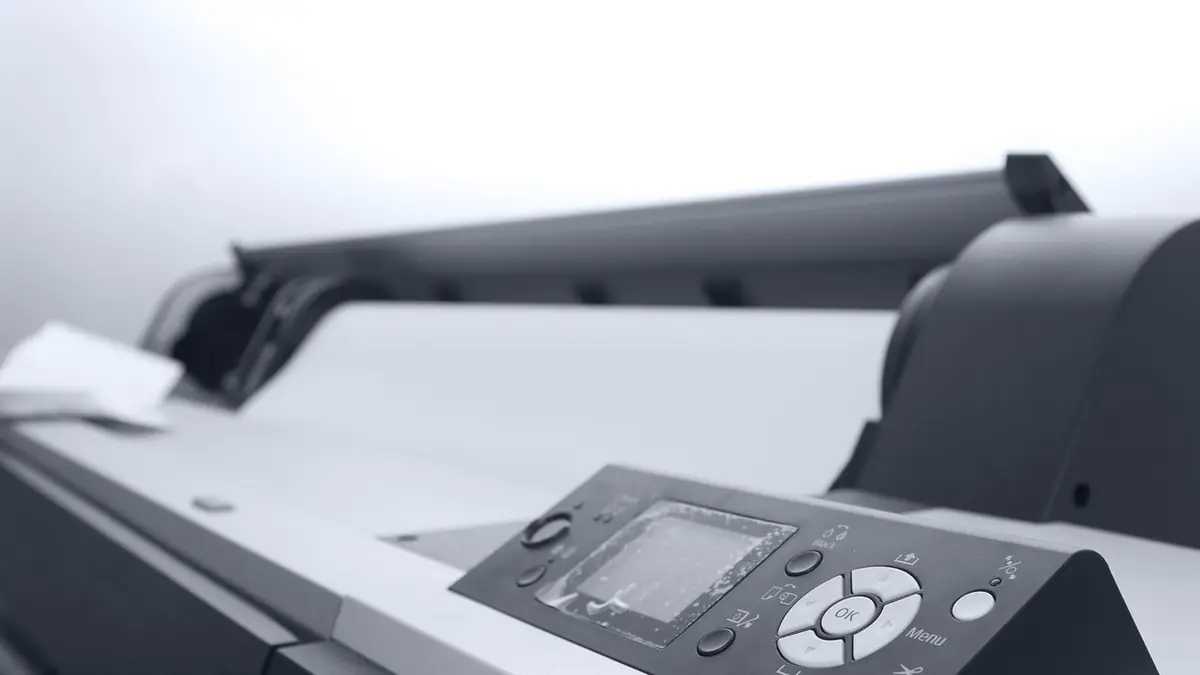
An A1 plotter prints up to 594 x 841 mm — the size most design studios, architecture offices, and in-house print rooms settle on once A3 stops being enough. It is big enough for a readable construction drawing or a poster, but small enough to sit against a wall rather than own a room.
The category splits into two families: 24-inch technical plotters built for CAD linework and 24-inch photo or graphics machines built for colour. They look similar in photos, cost similar money up front, and behave very differently once you start feeding them paper. This guide covers what actually separates them.
What an A1 Plotter Actually Is
A1 measures 594 x 841 mm, and plotter marketing usually refers to the roll width instead: 24 inches (610 mm) is the standard A1-class carriage. Most machines accept rolls from 24 inches down to 8.5 inches, plus cut sheets fed through a rear or top path. Borderless printing is common on graphics models and rare on technical ones.
The word plotter survives from pen-carriage days, but every current model is an inkjet — typically 4 to 9 ink channels on a thermal or piezo printhead. Two things define the class: a roll feed with an automatic cutter, and a spooler that handles very large files. Without both, a wide printer becomes a chore rather than a tool.
Physical footprint matters more than the spec sheet suggests. Expect roughly 1.0–1.3 m wide, 0.5–0.7 m deep, and 25–45 kg. Add clearance behind for the roll and in front for prints to land. A sturdy 60 cm-deep bench or a floor stand is the realistic minimum.
- 24-inch (610 mm) roll carriage is the A1 standard
- Look for an automatic cutter and a rear sheet feed
- Plan 1.2 m of wall width plus front and rear clearance
- Check maximum roll diameter — 2-inch cores are near-universal, 3-inch is a bonus
Technical vs Graphics: Which Family Fits
Technical plotters prioritise line accuracy, fast monochrome output, and cheap consumables. They usually run four colours (CMYK) or six, print at 2400 x 1200 dpi or similar, and are tuned so a 1 mm line stays crisp and dimensions on a scaled drawing remain trustworthy. Speed on plain bond paper is the headline number, often 20–30 A1 pages per hour in draft mode.
Graphics machines carry 8–12 inks, wider colour gamut, and much better behaviour on photo, fine art, and coated stock. They are slower per sheet on plain paper but far better on the media you would actually use for a render or a poster. If your output is 80% drawings, buy technical. If it is 40% or more colour visuals, buy graphics.
- Technical: 4–6 inks, fast bond output, line precision focus
- Graphics: 8–12 inks, wide gamut, photo and fine-art media
- Technical machines cut consumable costs substantially
- Graphics machines need more attention to colour profiles and nozzle checks
Purchase Prices and What They Include
In 2026, a competent 24-inch technical plotter starts around USD 1,100–1,600 and a well-equipped model with a stand, network port, and larger ink cartridges lands at USD 1,800–2,800. Entry graphics plotters begin near USD 1,300 but a serious 8–12 ink photo machine typically runs USD 2,500–4,500, and top-end 24-inch photo models exceed USD 5,000.
Budget carefully for what is not in the box. A floor stand is often extra (USD 150–350), a second roll feed can add USD 300–600, and the starter ink set is usually partially filled — plan on USD 200–400 to reach full capacity. Extended warranties run 8–15% of the purchase price per extra year.
Refurbished units can cut 30–45% off list, but insist on a recent printhead test page and a nozzle check pattern. Printheads are the expensive wear item; replacing one can cost 25–40% of the machine's value and can turn a bargain into a bad decision.
| Class | Typical price (USD) | Inks | Draft speed (A1/hr) | Ink cost per plain A1 |
|---|---|---|---|---|
| Entry technical, 4-colour | 1,100–1,600 | 4 | 15–20 | USD 0.35–0.55 |
| Mid technical with stand | 1,800–2,800 | 4–6 | 20–25 | USD 0.40–0.70 |
| Entry graphics, 6–8 ink | 1,300–2,500 | 6–8 | 6–12 | USD 0.90–1.80 |
| Serious photo, 8–12 ink | 2,500–4,500 | 8–12 | 3–6 | USD 1.50–3.00 |
| High-end photo, 12 ink | 5,000+ | 10–12 | 3–5 | USD 2.00–3.50 |
Running Costs per A1 Sheet
Consumables dominate ownership cost. On a 4-colour technical plotter using third-party or high-capacity cartridges, a plain-paper A1 line drawing typically costs USD 0.35–0.80 in ink, plus USD 0.10–0.25 for bond paper. A graphics machine printing a full-coverage colour A1 on coated stock can reach USD 3.00–6.00 per sheet between ink and media.
Photo and fine-art papers are the silent budget killer: a quality A1 sheet can cost USD 4–12 by itself. Coverage is the variable that matters most, so a plotter that prints dense colour daily will cost several times more to run than one printing sparse linework. Our breakdown of real cost-per-page numbers shows how quickly coverage changes the maths.
Maintenance is modest but not zero. Budget USD 100–250 a year for a maintenance cartridge or ink pad, cleaning sheets, and occasional printhead work. Machines that sit idle for weeks tend to need more cleaning, not less.
- Plain A1 line drawing: roughly USD 0.45–1.05 all-in
- Full-colour A1 on coated stock: roughly USD 3–6
- A1 photo or fine-art sheet: media alone USD 4–12
- Annual maintenance budget: USD 100–250
Speed, Connectivity, and Workflow
Draft-mode speed claims are optimistic. A realistic figure for a technical plotter on plain bond is 15–25 A1 sheets per hour; graphics machines doing quality colour output manage 3–8 A1 sheets per hour. First print after power-on can take 2–5 minutes while the machine self-cleans, so daily low-volume users feel warm-up more than throughput.
Connectivity is where cheaper machines quietly fail. You want Gigabit Ethernet, a proper print spooler that handles 500 MB-plus files, and driver support for your operating system versions. Wi-Fi is convenient but unreliable for large vector files; keep it as a secondary path. For teams printing from laptops and tablets, this mobile printing checklist covers the network and driver basics worth verifying first.
Check the maximum printable length, not just width. Many 24-inch machines handle 5–15 m rolls, but banner work at 20 m or more needs a model rated for it. Also confirm the cutter handles the media you use — some cutters struggle with canvas and heavy fine-art stock.
Media Handling and Output Quality Checks
Ask two questions before buying: what is the maximum media thickness, and how many paper paths does it have? A rear straight-through path handles board and canvas; a tightly curved path will jam on anything above about 0.3 mm. Roll-plus-sheet capability is worth paying for if you regularly print one-off cut sheets.
Output quality is best judged on your own files. Bring a test drawing with fine hatching, a colour gradient, and small text, and print it on the media you intend to use. Look for banding in smooth gradients, bleeding on thin lines, and whether the smallest text at 6–7 pt stays legible. Designers weighing colour accuracy should read the features that matter for graphic designers before committing.
For architectural work specifically, line weight consistency and accurate scaling at 1:50 and 1:100 are non-negotiable. Print a known-dimension test block and measure it with a steel rule — a 1% scale error over an A1 sheet is roughly 6 mm, enough to matter on site.
- Confirm maximum media thickness and straight-through path
- Test fine hatching, gradients, and 6 pt text on your own files
- Measure a known-dimension block to verify scale accuracy
- Check cutter performance on canvas and heavy stock
Buying Decision Framework
Start with volume. Under 50 A1 sheets a month, a mid-range technical plotter or an outsourced print shop is usually the smarter call; the machine will not pay back on convenience alone. Between 50 and 300 sheets a month, a 24-inch technical plotter with high-capacity cartridges is the sweet spot. Above 300 sheets, look at roll-switching options and a service contract.
Then weigh lifetime cost, not sticker price. A machine that costs USD 600 more but halves ink spend per sheet pays for itself within a year or two at moderate volume. Our five-year cost comparison of ink tank and cartridge systems illustrates the same principle at desktop scale.
Finally, check service. Confirm a local authorised technician, typical response times, and parts availability for at least five years. A plotter is a long-term fixture; support quality separates a five-year tool from a two-year regret.
- Under 50 A1/month: consider outsourcing
- 50–300 A1/month: 24-inch technical plotter is the sweet spot
- Above 300 A1/month: add roll switching and a service contract
- Verify local service and five-year parts availability
- A 24-inch carriage is the A1 standard; confirm roll width, cutter, and sheet feed before buying
- Technical plotters cost far less to run per sheet than graphics machines — match the family to your colour mix
- Budget 15–30% above the sticker price for stand, full ink, and setup
- Verify scale accuracy with a measured test block and check local service before committing
Sarah has spent over a decade testing and reviewing printers for homes and small businesses. She focuses on practical buying advice, cost analysis, and helping readers avoid common printing pitfalls. Her experience spans inkjet, laser, and specialty printers.