Digital Art Prints: Choosing a Printer for Giclée Quality
By Sarah Mitchell · Published · 5 min read

A gallery-quality digital art print lives or dies on three things: the ink chemistry, the paper, and how well your printer's profile matches the two. Get those right and a $600 desktop model can produce a print a collector will happily hang. Get them wrong and a $3,000 machine makes expensive coasters.
This guide walks through pigment versus dye, color gamut and black-channel choices, paper profiles, and the running costs that decide whether printing in-house makes sense for your edition sizes.
Pigment Ink Is the Starting Line
Giclée, strictly speaking, refers to a fine-art inkjet print made with pigment inks. Pigment particles sit on the paper surface and resist fading far better than dyes, which soak in and fade faster under UV and ozone exposure. Typical display-life claims for pigment prints on archival paper run from roughly 60 to 200 years depending on paper, ink, and framing; dye prints often land in the 15–40 year range. For anything sold or gifted, pigment is the safe choice.
The practical consequence: buy a printer with a pigment ink set, usually marketed as 'photo' or 'pro' models. Epson's SureColor P-series, Canon's imagePROGRAF PRO line, and HP's DesignJet Z models are the common families. Entry pigment photo printers start around $500–$800 for 13-inch models; 17-inch units typically run $1,200–$2,500, and 24-inch roll printers climb from about $2,500 upward. If you mostly print for yourself, a 13-inch pigment printer is the sweet spot.
- Check the ink type on the spec sheet: 'pigment' not 'dye-based'
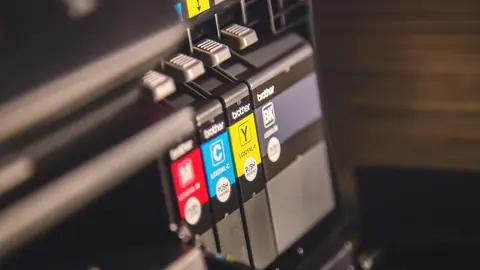
- Look for user-replaceable individual cartridges
- Confirm the printer accepts fine-art and matte papers, not just RC photo paper
- Prefer models with a documented ICC profile library for third-party papers
Gamut, Ink Channels, and the Black Problem
More ink colors do not automatically mean better prints, but they widen the gamut where it matters for art: saturated reds, deep blues, and smooth skin and sky gradients. A basic CMYK printer plus photo black covers a lot. Eight- to ten-channel printers add orange, green, violet, or light magenta and cyan, which noticeably improves vivid watercolor and floral work.
The black setup matters just as much. Printers with both matte black and photo black let you match the ink to the paper: matte black for cotton rag and watercolor sheets, photo black for glossy and baryta. Switching between them on some models wastes ink in the lines, so check whether the printer uses a shared channel or separate lines. If you print mostly on matte fine-art paper, a matte-only machine is a fine, cheaper compromise.
- 6–8 ink channels: good for most illustration and photography
- 10–12 channels: better for saturated, wide-gamut artwork
- Separate matte and photo black lines save ink and time
- Check maximum resolution only as a secondary spec; gamut and profiles matter more
Paper Profiles and Color Management
Every paper and ink combination needs a profile. Printer manufacturers publish ICC profiles for their own papers, and most fine-art paper makers publish profiles for the popular printer models. Download the correct profile for your printer, ink set, paper, and print quality setting, then let the printer driver or your editing software handle color management with that profile rather than double-profiling.
If you print on unusual stock or want maximum accuracy, custom profiling is the next step. A hardware spectrophotometer plus profiling software costs roughly $500–$1,500, or you can pay a service to build profiles for a modest per-paper fee. Calibrate your monitor too: an uncalibrated display is the most common reason prints look 'wrong' when the file is fine. A basic calibrator runs about $150–$300.
- Use the exact profile matching printer, ink, paper, and quality mode
- Turn off printer-side color adjustment when printing through a profile
- Keep a test print of each paper for reference
- Recalibrate your monitor every few weeks for paid work
Resolution, File Prep, and Print Size
For photographic and painted artwork, aim for roughly 300 ppi at final print size; 240 ppi is usually fine at normal viewing distance, and large prints viewed from a metre or more can go lower. That means a 16×20 inch print wants a file around 4,800×6,000 pixels at 300 ppi. Upscaling works, but starting from a genuinely large capture is better.
Print at the highest quality setting your printer offers for final output, and use the printer's native resolution handling rather than forcing odd values. Soft-proof in your editing software with the paper profile to preview how out-of-gamut colors will shift. For vector and illustration work, export at high resolution with a wide color space, and convert to the printer's profile at the end rather than working in it throughout.
- 300 ppi at final size for close-viewed prints
- 240 ppi acceptable for most wall prints
- Soft-proof with the paper ICC profile before printing
- Keep a master file in a wide space such as Adobe RGB or ProPhoto RGB
What It Actually Costs Per Print
Ink is where the money goes. Pigment photo printers typically consume ink at a rate that works out to roughly $0.50–$2.50 per square foot for ink alone on 13–17 inch machines, depending on coverage and how much you waste on cleanings. Add fine-art paper at about $1.50–$6 per square foot for cotton rag or baryta, and a 13×19 inch print often lands in the $6–$20 range in materials.
That compares well with lab pricing for short runs, but the math changes with volume and waste. Printers that sit idle tend to burn ink on maintenance cycles, so regular use actually lowers your effective cost per print. If you are weighing in-house against outsourcing, run the numbers on your real edition sizes rather than sticker price alone; our breakdown of real cost per printed page is a useful sanity check.
- Ink: roughly $0.50–$2.50 per square foot on desktop pigment models
- Fine-art paper: $1.50–$6 per square foot
- Idle time triggers cleaning cycles that waste ink
- Buy larger cartridges if you print regularly; cost per ml drops
Matching the Printer to Your Workflow
Sheet-fed 13-inch printers suit artists printing modest editions and proofs; they are compact and accept cut sheets up to 13×19 inches. If you routinely print larger, or want to buy paper by the roll to cut costs, a 17- or 24-inch roll printer pays off, though it demands more space and a stable, dust-free environment. Roll printers also let you print panoramic and custom lengths without special-order sheets.
Consider the rest of your setup as well. Large prints need a flat workspace and somewhere to dry; pigment prints on coated papers can be delicate for the first hours. If your work is collaborative or you send files to print remotely, it is worth reading our checklist for remote printing workflows so files and profiles survive the trip. And if your output leans toward craft and mounted pieces rather than flat art, the paper-handling advice in our scrapbooking printer guide applies surprisingly well.
Where Cheap Printers Fall Short
A general-purpose home inkjet can produce a decent-looking print, but the gap shows up fast. Dye inks fade sooner, gamut is narrower, black density on matte paper is weaker, and many models lack profiles for fine-art stocks. Feeding thick cotton rag through a standard rear tray often jams or leaves roller marks. These machines are fine for proofs and casual copies, not for prints you sign and number.
The other trap is buying more printer than you need. A 24-inch roll machine is wonderful until you realize you print a dozen 11×14 inch pieces a month and spend more time on maintenance than printing. Match the width to your most common print size, budget for a spare set of cartridges, and keep the machine running regularly. A well-used 13-inch pigment printer beats a neglected 44-inch one every time.
- Dye printers: acceptable for proofs, risky for sale
- Standard paper trays struggle with thick fine-art stock
- Check roller-mark reports for your chosen paper and printer combo
- Budget for a full spare ink set at purchase
| Class | Max width | Ink channels | Typical price | Best for |
|---|---|---|---|---|
| Entry pigment photo | 13 in | 6–8 | $500–$900 | Proofs, small editions, tight spaces |
| Advanced desktop | 17 in | 8–10 | $1,200–$2,500 | Serious fine-art printing, roll paper |
| Wide roll printer | 24 in | 10–12 | $2,500–$5,000 | Large pieces, higher volume |
| Large roll printer | 44 in | 10–12 | $6,000–$15,000 | Studios, galleries, production |
| Dye home inkjet | 8.5–13 in | 4–6 | $80–$300 | Casual prints and proofs only |
- Pigment inks and a matched ICC profile matter more than raw resolution
- A 13-inch pigment printer covers most artists' needs at $500–$900
- Materials for a 13×19 inch fine-art print typically run $6–$20
- Regular use keeps ink waste down; idle printers cost more per print
Sarah has spent over a decade testing and reviewing printers for homes and small businesses. She focuses on practical buying advice, cost analysis, and helping readers avoid common printing pitfalls. Her experience spans inkjet, laser, and specialty printers.