Best Printers for Graphic Designers: 7 Features That Matter
By Sarah Mitchell · Published · 4 min read
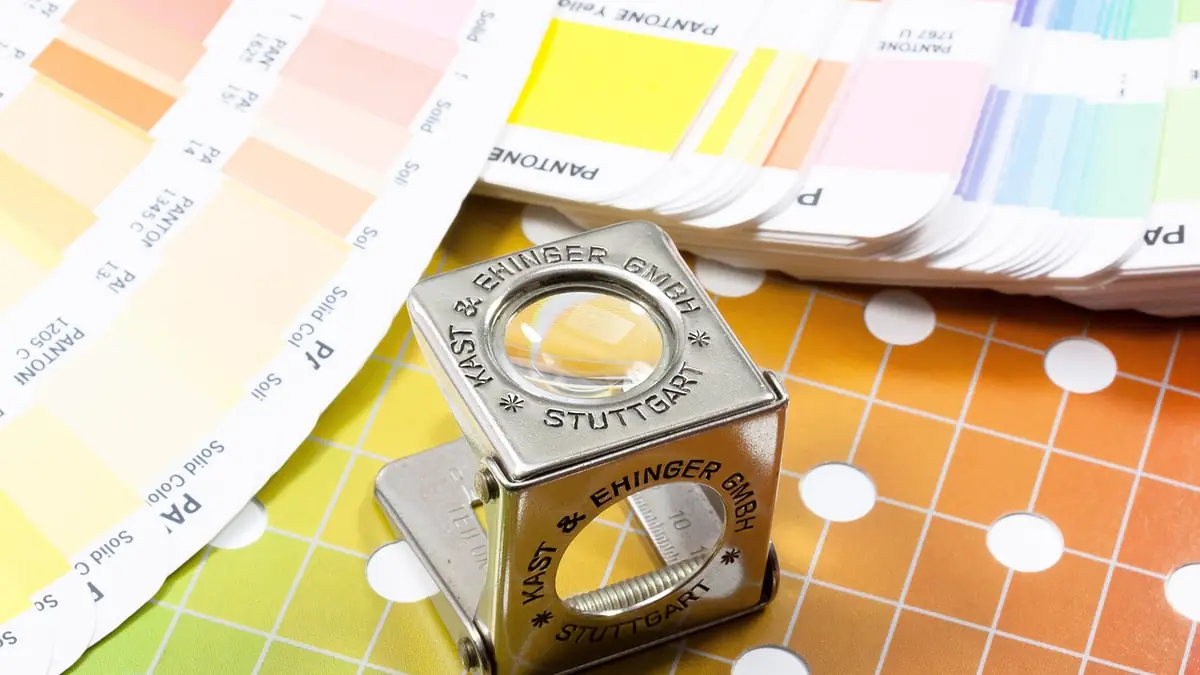
Graphic designers ask printers to do something most office machines were never built for: reproduce color faithfully, on the media the design actually lives on. A printer that is fine for invoices can quietly wreck a brand palette, so the spec sheet matters more than the price tag.
What follows are the seven features worth weighing before you buy, with realistic numbers on inks, gamut, media weights, and running costs. Use it as a checklist against any model you are considering.
Color Accuracy and Gamut Come First
A designer's printer needs more than four inks. Six- to ten-ink photo and proofing models add light cyan, light magenta, orange, green, red, or violet, which extends the printable gamut where brand colors usually hurt: saturated oranges, deep blues, and clean greens. Expect a noticeably wider range than a standard CMYK office unit, though no desktop printer reaches a full offset or Pantone library.
Practical accuracy depends on color management, not ink count alone. Look for published ICC profiles for the papers you use, support for soft-proofing in your design software, and the ability to linearize with a spectrophotometer if you need contract-level proofs. Without a calibrated monitor and a proper profile, even a wide-gamut printer will drift. Budget a calibrator alongside the printer.
- 6-10 inks for wider gamut
- Downloadable ICC profiles per paper
- Support for soft-proofing workflows
- Optional spectrophotometer for critical proofing
Media Handling: Weight, Size, and Feed Paths
Design work rarely stays on plain paper. You may print on 300 gsm cardstock, adhesive vinyl, fine art cotton rag, tracing paper, or synthetic sheets. Check the maximum media weight the printer will feed from its main tray, and whether it has a straight-through or rear feed path for thick stock, since curved paths jam above roughly 250-300 gsm on many desktop models.
Sheet size matters too. An A3+ (13x19 inch) or A2 model lets you proof posters and spreads at a useful scale; A4-only machines force tiling. Look at borderless support, minimum and maximum sheet sizes, and whether the rear feeder accepts sheets up to 0.6-1.5 mm thick. If you print on rolls, confirm a roll holder is available rather than assumed.
- Rear or straight feed for 250 gsm+ stock
- A3+ or A2 for poster and spread proofs
- Explicit borderless size list
- Roll support if you print banners
Print Quality: Resolution Is Only Part of It
Marketing loves dpi numbers, but droplet size and dot placement matter as much. Photo-class printers typically run 1.5-3 picoliter droplets, which produce smoother gradients and less visible grain in skin tones and skies. A 4800 x 1200 dpi machine with fine droplets usually beats a 9600 dpi unit with coarse ones, so read sample prints rather than specs alone.
Look at how the printer renders halftones and fine text at small sizes. A quality unit holds 4-6 pt type on uncoated stock and shows smooth vignettes without banding. Ask for or print a test file with gradients, a grayscale ramp, and 2 pt rules. Banding in smooth areas is the fastest tell that a cheap print head will disappoint on client work.
- Droplet size 1.5-3 pl for photo work
- Smooth gradients without banding
- Clean 4-6 pt type on uncoated paper
- Test grayscale ramps before buying
Print Cost per Proof and Ink Economics
Client work generates many prints that end up in the bin: color checks, layout proofs, revised versions. Ink cost dominates here. Standard cartridge photo printers can run USD 0.50-1.50 or more per A4 photo print, while refillable tank models cut ink costs by a large margin, often 70-90 percent lower per page. If you print dozens of proofs weekly, that gap repays the higher purchase price within months.
Factor in paper too. Coated proofing stock, fine art paper, and adhesive media cost far more than office paper, sometimes several dollars per A3+ sheet. Track cost per usable proof, not cost per page, since a failed proof on expensive paper is doubly costly. A cheap printer that wastes expensive sheets is a false economy; see our breakdown of real printing costs per page for benchmarking.
| Printer class | Inks | Max media weight | Max sheet size | Typical ink cost per A4 photo |
|---|---|---|---|---|
| Everyday office inkjet | 4 (CMYK) | Up to 200 gsm | A4 | USD 0.15-0.30 |
| Photo inkjet | 6-8 | Up to 300 gsm | A3+ | USD 0.40-0.90 |
| Pro photo/pigment | 8-10 | Up to 400 gsm + rear feed | A3+ to A2 | USD 0.50-1.50 |
| Refillable tank photo | 6 | Up to 300 gsm | A3+ | USD 0.10-0.25 |
| Color laser | 4 (toner) | Up to 220 gsm | A4/A3 | USD 0.20-0.50 |
Consistency, Calibration, and Maintenance
Color consistency across a print run and over time separates professional machines from consumer ones. Self-calibrating print heads, scheduled nozzle checks, and stable ink formulations reduce drift between jobs. If you print the same brand piece monthly, re-profiling every few months keeps results close; pigment inks generally hold color longer than dye inks, which matters for portfolios and display pieces.
Maintenance is a real cost. Print heads clog when idle, especially with pigment inks, so a printer that sits unused for weeks needs auto-cleaning routines or regular nozzle checks. Some models waste ink on cleaning cycles, filling maintenance tanks that need replacement. Check the cost of print heads, maintenance boxes, and whether the head is user-replaceable or a service visit.
- Auto nozzle check and head cleaning
- Pigment inks for fade resistance
- User-replaceable print head preferred
- Budget for maintenance tank refills
Connectivity, Software, and Workflow Fit
Your printer should slot into a design workflow, not fight it. Wired Ethernet and stable Wi-Fi are basics; USB-C helps with laptops. More important is driver quality: accurate paper settings, the ability to disable color management in the driver so your ICC profile applies cleanly, and support for borderless and custom page sizes. Poor drivers cause double profiling and muddy output.
Consider the software around the hardware. Some models offer layout or proofing tools, but most designers will print from Adobe apps or a RIP. If you also produce cut graphics, a print-and-cut device changes the calculus; our guide to print and cut setup costs covers what to budget. For mixed office and design use, weigh inkjet versus laser economics with this comparison for small businesses.
Matching the Printer to Your Design Work
Portfolio and photo printing favors a wide-gamut pigment photo printer on A3+ or larger. Brand identity and packaging proofing benefits from a machine with strong ICC support and the ability to print on the actual substrate, including adhesive and board. Illustration and mixed media work pushes toward fine art papers and thick media handling, similar to what we outline in our scrapbooking printer buying guide.
Freelancers with tight space and budgets can start with a good A4 photo printer and outsource large-format proofs. Studios printing daily should buy for duty cycle: a model rated for a few hundred pages a month will struggle at a thousand. Be honest about monthly volume, media types, and how much color accuracy clients actually demand.
- Portfolio work: wide-gamut A3+ pigment printer
- Brand proofing: strong ICC and substrate support
- High volume: check rated monthly duty cycle
- Low volume: outsource large-format proofs
- Prioritize 6-10 ink gamut and real ICC profiles over dpi claims.
- Check rear-feed media weight limits before buying for cardstock or fine art.
- Proof-heavy workflows favor refillable tank models; check cost per usable proof.
- Match duty cycle and maintenance needs to your actual monthly print volume.
Sarah has spent over a decade testing and reviewing printers for homes and small businesses. She focuses on practical buying advice, cost analysis, and helping readers avoid common printing pitfalls. Her experience spans inkjet, laser, and specialty printers.