Best A1 Plotter Printers: Speed, Resolution and Cost
By Sarah Mitchell · Published · 5 min read
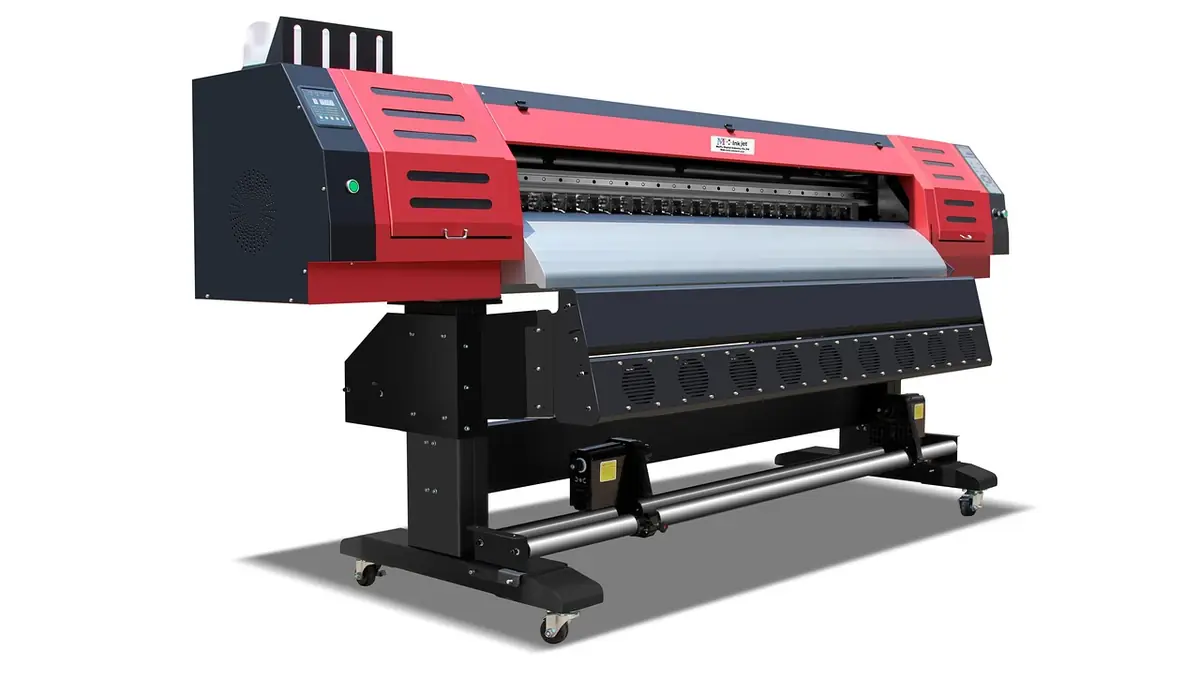
An A1 plotter is the workhorse of any studio that outputs plans, proofs, posters or technical drawings at 594 x 841 mm. The category looks uniform from the outside, but the machines inside it differ sharply in how they feed paper, how fast they lay down ink, and how much each square metre of output actually costs over a few years of use.
This analysis breaks down what separates a good A1 plotter from a frustrating one: print head design, drying time, roll handling, ink pricing and the real throughput you get once a file is ripped and the first sheet has fed. The numbers below are typical ranges you should verify against current vendor datasheets before buying.
What Actually Defines an A1 Plotter
A1 is a sheet size, not a machine class. Most A1-capable devices are 24-inch (610 mm) roll printers, which accept A1 sheets and cut roll media to length. That distinction matters: a roll-fed unit prints a 10-metre banner as easily as a single sheet, while a sheet-feed-only device locks you into cut sizes and usually a slower, fussier paper path.
The second defining trait is ink configuration. Technical plotters typically run four to six colours (cyan, magenta, yellow, black, plus grey or matte black) with pigment inks for sharp line work and fade resistance. Graphics-oriented A1 machines push six to eight inks and dye or pigment sets tuned for wider gamut. If your work is 80% CAD line drawings, buy for line quality and media economy, not for photo gamut.
Resolution figures deserve scepticism. A 2400 x 1200 dpi headline looks impressive, but perceived sharpness on a technical drawing comes mostly from smallest droplet size (3-4 picolitres is good) and from whether the printer can hold thin 0.1 mm lines without bleeding. Ask for printed samples on the exact media you plan to use.
- 24-inch roll width covers A1 plus trim waste
- Pigment ink for archival drawings; dye for vibrant posters
- Smallest droplet size matters more than headline dpi
- Check maximum roll diameter and core size before ordering media
Speed: Headline Numbers vs Real Throughput
Manufacturers quote speeds on draft mode with minimal ink coverage, often on plain paper. A realistic planning figure for an A1 line drawing in a normal quality mode is roughly 40-90 seconds per page on mid-range machines, and 20-40 seconds on faster models. Photo or poster output at high quality can take 3-8 minutes per A1 sheet, and that is normal.
The bigger bottleneck is usually not the print head but the workflow around it. Spooling a complex PDF, ripping it, waiting for the first page out, and trimming or folding adds minutes. For a busy office printing 50-200 A1 pages a week, a machine with a fast first-page-out time and a large onboard memory will feel quicker than one with a higher top speed but slow warm-up.
Drying time also counts as throughput. Aqueous pigment inks on coated media can need 1-3 minutes before stacking without offset, which is why stackers and take-up reels exist. If your output goes straight to a client, budget for a flatbed dryer or a short drying rack rather than assuming the printer's rated speed is your finished-goods speed.
- Plan 1-3 minutes per A1 sheet in mixed real-world use
- First-page-out time matters more than top speed
- Check onboard memory and rip options
- Drying time affects stacking, not just print time
Ink and Media Economics
Ink is where the long-term bill lives. A 24-inch plotter typically uses 130-300 ml cartridges or 280-700 ml ink packs. At typical coverage, an A1 line drawing consumes well under 1 ml of ink; a full-colour poster can use 2-5 ml. That puts simple technical drawings at roughly 0.15-0.60 currency units of ink per sheet and photo-heavy posters at 1.50-6.00, depending on ink pricing and coverage.
Media dominates the rest of the cost. Standard 90 gsm bond for drafts runs cheaply per square metre, while coated presentation paper or matte photo stock can cost several times more. For a realistic per-page figure that includes ink, media and a share of maintenance, see our breakdown of how much it costs to print a page with current numbers.
Maintenance matters too. Printers left idle for weeks can clog pigment heads and burn ink on cleaning cycles. If your A1 output is seasonal, either choose a model with a reliable capping station or run a weekly nozzle check to avoid surprise head replacements.
- Line drawings: under 1 ml ink per A1 sheet
- Full-colour posters: 2-5 ml per A1 sheet
- Bond media is cheap; coated and photo stocks multiply cost
- Idle time costs ink through cleaning cycles
Media Handling, Stands and Footprint
An A1 plotter with a stand occupies roughly 1.2-1.4 m of width and 0.6-0.8 m of depth, plus clearance for the output tray and roll loading at the rear. Measure the room before ordering; the difference between a desktop 24-inch unit and a floor-standing model with a stacker is substantial, and so is the noise level in a shared office.
Roll handling deserves a hands-on check. Spindle-less or one-touch loading systems save real time if you swap between bond, tracing paper and photo stock weekly. Automatic roll switching on two-roll models is genuinely useful for mixed workloads, but adds cost and footprint. For small shops, a single-roll machine with a manual cutter and a separate trimmer is often the better value.
If you also output labels or apparel graphics, the media-feeding logic differs enough to warrant a separate machine. Our guides to choosing a DTG printer for apparel and thermal versus inkjet label printers cover those decisions in detail.
- Allow 1.2-1.4 m width plus rear roll clearance
- One-touch roll loading saves minutes per media change
- Two-roll switching suits mixed bond and photo work
- Check noise ratings for open-plan offices
Software, Connectivity and Security
Most A1 plotters ship with a basic driver plus an optional rip for poster work. For CAD users, the practical test is whether the printer handles HP-GL/2 and PDF natively without a separate rip licence, and whether it can queue jobs while a roll is being changed. Network connectivity should include Gigabit Ethernet; Wi-Fi is convenient but unreliable for large files.
Security features are increasingly relevant for studios handling client drawings. Look for secure print release, user authentication, and the ability to wipe the printer's internal storage. If your team prints from laptops across locations, our checklist for mobile printing solutions for remote teams covers the setup questions worth resolving before purchase.
Finally, check consumable availability and service response in your region. A plotter that needs a head replaced in three days is a different proposition from one that takes three weeks, and the difference rarely appears on a spec sheet.
- Native HP-GL/2 and PDF support reduces rip costs
- Gigabit Ethernet for large files; treat Wi-Fi as backup
- Secure print release and storage wiping for client work
- Confirm local service response and head availability
| Workload | Ink setup | Typical A1 print time | Ink cost per A1 sheet | Key spec to check |
|---|---|---|---|---|
| CAD line drawings, high volume | 4-colour pigment | 40-90 s normal quality | 0.15-0.60 | Line sharpness, first-page-out |
| Architectural presentations | 6-colour pigment | 2-4 min high quality | 0.80-2.50 | Grey/matte black quality |
| Posters and proofs | 6-8 colour dye/pigment | 3-8 min photo quality | 1.50-6.00 | Gamut, droplet size, drying |
| Mixed office output | 4-6 colour pigment | 1-3 min average | 0.40-1.50 | Two-roll switching, stacker |
| Low-volume occasional use | 4-colour pigment | 1-2 min normal | 0.20-0.80 | Head capping reliability |
- Buy for your dominant output: line quality and media economy for CAD, gamut and drying for posters.
- Real throughput is 1-3 minutes per A1 sheet in mixed use; rated speeds are draft-mode best cases.
- Ink cost ranges from well under 1 unit per line drawing to several units per full-colour poster.
- Confirm roll loading, footprint, service response and secure printing before signing.
Sarah has spent over a decade testing and reviewing printers for homes and small businesses. She focuses on practical buying advice, cost analysis, and helping readers avoid common printing pitfalls. Her experience spans inkjet, laser, and specialty printers.